 Phoenix - Your AI Assistant
Create an Interactive Retail Sales Dashboard in Power BI
Delivery in
3 days
- Views 77
Amount of days required to complete work for this Offer as set by the freelancer.
Rating of the Offer as calculated from other buyers' reviews.
Average time for the freelancer to first reply on the workstream after purchase or contact on this Offer.


What you get with this Offer
Transform your retail sales data into a professional and interactive Microsoft Power BI dashboard.
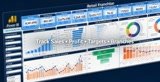
I will create a customised retail sales dashboard that gives business owners, retail managers and senior management a clear view of sales performance, targets, products, branches and employees.
Instead of spending hours reviewing multiple spreadsheets, you will be able to monitor your most important retail KPIs from one interactive dashboard.
Your dashboard can include:
✓ Total sales and revenue
✓ Gross profit and profit margin
✓ Sales against targets
✓ Month-on-month and year-on-year performance
✓ Branch, store or outlet performance
✓ Product and category performance
✓ Salesperson or employee performance
✓ Average transaction value
✓ Units sold and transaction volume
✓ Top and underperforming products
✓ Daily, weekly and monthly sales trends
✓ Regional or geographical sales analysis
✓ Interactive date, branch, product and employee filters
✓ Up to 10 customised KPIs and DAX measures
Supported data sources include:
Excel, CSV, SQL Server, SharePoint, Salesforce and other structured business systems.
Please contact me before placing an order if you require multiple dashboard pages, complex data transformation, connection to multiple data sources, scheduled refresh, Power BI Service publishing or row-level security.
I am a Microsoft Certified Power BI Data Analyst, Microsoft Certified Excel Specialist and ACCA member with practical experience developing management dashboards for UK and international businesses.
I will create a customised retail sales dashboard that gives business owners, retail managers and senior management a clear view of sales performance, targets, products, branches and employees.
Instead of spending hours reviewing multiple spreadsheets, you will be able to monitor your most important retail KPIs from one interactive dashboard.
Your dashboard can include:
✓ Total sales and revenue
✓ Gross profit and profit margin
✓ Sales against targets
✓ Month-on-month and year-on-year performance
✓ Branch, store or outlet performance
✓ Product and category performance
✓ Salesperson or employee performance
✓ Average transaction value
✓ Units sold and transaction volume
✓ Top and underperforming products
✓ Daily, weekly and monthly sales trends
✓ Regional or geographical sales analysis
✓ Interactive date, branch, product and employee filters
✓ Up to 10 customised KPIs and DAX measures
Supported data sources include:
Excel, CSV, SQL Server, SharePoint, Salesforce and other structured business systems.
Please contact me before placing an order if you require multiple dashboard pages, complex data transformation, connection to multiple data sources, scheduled refresh, Power BI Service publishing or row-level security.
I am a Microsoft Certified Power BI Data Analyst, Microsoft Certified Excel Specialist and ACCA member with practical experience developing management dashboards for UK and international businesses.
What the Freelancer needs to start the work
Please provide the following before I begin:
Your sales data in Excel, CSV or another accessible format.
A list of the KPIs and metrics you want to monitor.
Details of the required dashboard filters, such as date, branch, product, region or employee.
Your company logo and preferred colours, if applicable.
A sample report, dashboard or design reference, if available.
Confirmation of how the dashboard will be used—Power BI Desktop, Power BI Service or presentation/export only.
Please remove or anonymize any confidential customer or employee information that is not required for the dashboard.